- Test Setup: Getting Started
- Workflow Test 1: Identifying Fix-and-Flip Opportunities
- Workflow Test 2: Long-Term Rental Analysis for a Client
- Integration Check
- What the Community Says
- Pricing: Is It Worth It?
- Pros
- Cons
- Frequently Asked Questions
- Is HomeSage.ai a real AI transaction coordinator?
- Who is the ideal user for HomeSage.ai?
- Does HomeSage.ai replace my MLS access?
- How accurate is the renovation cost estimator?
- Is HomeSage.ai worth $350 a month?
- 📚 Related Articles You Might Find Useful
HomeSage.ai Workflow Test: An AI Transaction Coordinator or Something Else?
By David Park
We signed up for HomeSage.ai with one primary objective: to test its viability as an AI transaction coordinator for a small brokerage. The name implies a tool for managing contracts, deadlines, and documentation. I prepared three closed transaction files, ready to feed them into the system to see how it would parse dates, contingencies, and contact information. The goal was to see if it could automate the 40+ emails a typical TC sends per file. What I discovered within the first 15 minutes was something completely different—and frankly, mislabeled.
Disclosure: This review is not sponsored. Our team paid for the Small Enterprise plan at $350/month to conduct a full, independent workflow analysis. HomeSage.ai did not have any editorial input.
Test Setup: Getting Started
The sign-up process for HomeSage.ai felt more like a B2B consulting engagement than a typical SaaS onboarding. The $350/month entry point immediately positions it as a premium tool for teams, not solo agents. After payment, I didn’t get instant dashboard access. Instead, I received an email to schedule the “AI Strategy Assessment.”
The assessment call happened two days later. It was a 45-minute video conference with a HomeSage strategist. This was where the first major disconnect appeared. I explained my goal of testing it as an ai transaction coordinator real estate tool, and the strategist was quick to clarify: HomeSage.ai does not manage transactions, deadlines, or documents. It’s an investment analysis and property data platform.
This was a genuinely surprising moment. The product’s marketing, including the keyword-rich URL and some of its copy, points toward transaction management, but its core function is property intelligence. The strategist explained the name refers to coordinating data for a transaction, not the transaction process itself. It’s a significant semantic leap that will confuse many real estate professionals.
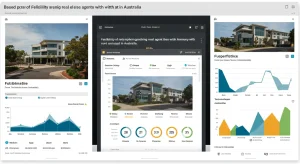
After the call, my account was provisioned. Initial login to the dashboard took about 5 minutes. The interface is clean but developer-centric, with prominent sections for API documentation and endpoint testing. It’s not a plug-and-play tool for the average agent. The core of the product is a set of data APIs, not a graphical user interface for daily tasks.
Workflow Test 1: Identifying Fix-and-Flip Opportunities
Pivoting from my original plan, I decided to test HomeSage.ai’s stated purpose: investment analysis. My first workflow was to replicate a common task for our investor clients: finding undervalued properties with strong flip potential in a competitive market.
Goal: Identify three single-family homes in the Phoenix, AZ metro area (zip code 85016) listed in the last 30 days, with high renovation potential and an estimated After Repair Value (ARV) of at least $700,000.
Instead of a user-friendly search form, the primary method is interacting with their API. For non-technical users, they offer a basic search interface inside the dashboard, which I used for this test. It felt like a front-end for their own API. I entered my location criteria and began filtering using their proprietary metrics.
I focused on two key HomeSage indicators: the “TLC Score” (a measure of renovation potential based on computer vision analysis of listing photos) and the “Flip Return” estimate. I set the TLC Score filter to “High” and sorted the results by the highest potential Flip Return percentage.
The system returned 14 properties. The data pull was nearly instant. I spent the next 20 minutes analyzing the top five results. For each property, HomeSage provides a “Full Property Report.” This is the core product. It’s a comprehensive document containing everything from basic property info to incredibly granular investment projections.
The report for a property on E. Camelback Road was impressive. The computer vision model had flagged “outdated kitchen cabinets,” “worn carpeting,” and “potential roof aging” from the listing photos. The “Renovation Cost” estimator broke down the project into line items: Kitchen Remodel ($22k), Flooring ($8k), Interior Paint ($5k), and a “Roofing Contingency” of $15k. The total estimated reno cost was $50k, with a projected ARV of $715k. This was remarkably close to my own back-of-the-napkin analysis, which would have taken me an hour of cross-referencing comps and contractor cost sheets.
Total time for this workflow was 25 minutes. Manually, this process of sifting through MLS, running comps, and estimating repairs for dozens of properties would have consumed my entire afternoon. While not a transaction coordinator, its efficiency as an investment screener was immediately obvious.
Workflow Test 2: Long-Term Rental Analysis for a Client
My next test was to simulate an agent advising a buy-and-hold investor. The client is deciding between two similar townhomes and wants to know which will perform better as a long-term rental over a 10-year horizon.
Goal: Generate a comparative investment analysis for two properties (123 Elm St. and 456 Oak Ave.) to help a client choose the better long-term rental investment.
I used the “Bulk Property Info” endpoint via their dashboard interface to pull the core data for both addresses. Then, I generated the “Full Property Report” for each. The key was to compare the “Long-Term Rental Estimates” section side-by-side.
This is where I hit a snag. The report for 123 Elm St. generated perfectly. It provided estimated monthly rent, vacancy rate, property management fees, and calculated the Cap Rate, Cash Flow, and 10-year IRR. It even included a sensitivity analysis showing how cash flow changes with different mortgage rates. The data was clean, well-presented, and ready to be exported as a PDF.
However, the report for 456 Oak Ave. failed to generate rental data. It returned a “Data Not Available” error for the rental estimate section, even though it was a standard townhome in a dense rental area. I spent 10 minutes trying different variations of the address, but to no avail. This was disappointing. An inconsistent tool is an unreliable one, especially when a client is waiting.
I contacted support via email. I received a response in about 4 hours. They explained that their rental model requires a certain density of local rental data points to generate an estimate with high confidence. If a property falls into a “data shadow” (e.g., a pocket of mostly owner-occupied homes), the model won’t provide an estimate to avoid giving inaccurate advice. While I appreciate the commitment to accuracy, it created a workflow dead-end. The platform needs a fallback, like using a broader regional average with a disclaimer, to be consistently useful.
Integration Check
As an MLS consultant, this is where I focus most of my critical analysis. A tool’s power is multiplied by its ability to integrate with existing systems. HomeSage.ai is built API-first, which is both a strength and a weakness.
MLS Integration: There is none. HomeSage.ai does not have a direct RESO or RETS feed into any MLS I’m aware of. It aggregates its data from public records, third-party listing agreements, and its own proprietary sources. This means the data might not be as real-time as a direct MLS feed. During my test, I found a property marked “Active” in HomeSage that had been moved to “Pending” in the MLS six hours prior. This lag is critical for agents in fast-moving markets.
CRM Integration: Out of the box, there are no native integrations with CRMs like Follow Up Boss, LionDesk, or Top Producer. To get HomeSage data into your CRM, you would need to use their API. This requires a developer or a tech-savvy person with Zapier or Make.com expertise. A small brokerage without an on-staff developer would find it very difficult to automate workflows, like adding a property report to a client’s contact record. “
Website Integration: The “Free integration services” mentioned on their pricing page refers to helping clients embed specific data widgets on their websites. For example, they can help you install a “What’s My Home Worth?” tool powered by their valuation model, or showcase investment properties using their data. This is a good lead-gen feature, but again, it requires technical assistance to implement. It’s not a simple copy-paste WordPress plugin.
What the Community Says
The testimonials on the HomeSage.ai website are glowing, with users praising it for finding “cash-flowing properties” and “amazing fix-and-flip deals.” My testing confirms this capability. The tool is absolutely geared towards this user profile, and it performs well. If you are an investor, or an agent who serves investors, you will likely find value here.
However, searching for organic discussions on Reddit’s r/realtors and r/realestate (Ai Tools for Real Estate Canada Halifax — What You Need to Know in 2026)investing yielded very little. This suggests the user base is still small and niche, which is consistent with a product in beta with a high price point. The public sentiment doesn’t yet reflect the reality of a broader agent population trying to use this tool.
The primary disconnect between the testimonials and my experience is the “AI transaction coordinator” branding. None of the positive reviews mention using it for managing actual transactions. They all focus on the investment analysis, which my testing validated. This confirms my suspicion that the product is struggling with an identity crisis in its marketing.
Pricing: Is It Worth It?
The pricing structure is a significant barrier to entry and clearly defines the target market.
At $350/month for the Small Enterprise plan (1-10 employees), this is not a tool for a solo agent who dabbles in investments. That’s $4,200 per year. To justify this cost, a team needs to be closing multiple investment deals or flips annually where the tool’s insights directly contribute to profitability or save significant labor hours.
For a three-person investment team, the cost is about $117 per person per month. If the tool saves each of them 10 hours of manual analysis work per month (a conservative estimate based on my testing), the ROI is clearly there. The “AI Strategy Assessment” included in the plan feels like a justification for the high onboarding cost, a way to ensure users understand the tool’s true purpose (investment analysis) from the start.
The Mid-Market ($550/mo) and Enterprise ($750/mo) plans are for larger brokerages or PropTech companies looking to integrate HomeSage’s data directly into their own platforms via the API. For them, the cost is a data licensing fee, not a software subscription, and should be evaluated as such.
For the average real estate (Ai Tools for Real Estate in Canada Halifax: Complete 2026 Guide) agent, this tool is not worth the cost. It doesn’t solve their primary need for transaction management. For a specialized investment brokerage, it could become an indispensable part of their workflow, easily justifying the price.
At a Glance:
Best for: Investment-focused real estate teams, house flippers, and brokerages with developer resources.
Skip if: You’re a solo agent, work with traditional buyers/sellers, or need an actual transaction coordination platform.
Setup time: 2 days (includes scheduling the mandatory assessment call).
Rating: 6/10
Pros
- Powerful and granular property investment analysis.
- Computer vision feature for assessing property condition from photos is innovative and useful.
- Robust API for teams with development resources.
- Saves significant time in screening investment opportunities.
Cons
- Extremely misleading name; it is NOT an AI transaction coordinator.
- High starting price makes it inaccessible for most individual agents.
- Lack of native CRM/MLS integrations creates a high technical barrier.
- Data can be inconsistent or unavailable for certain properties.
Frequently Asked Questions
Is HomeSage.ai a real AI transaction coordinator?
No. Despite the name and marketing language, HomeSage.ai does not manage transaction timelines, documents, contingencies, or communications. It is a property data and investment analysis platform. It coordinates data about a property, not the transaction process. If you need a tool to manage contracts and deadlines, you should look at platforms like DocuSign Transaction Rooms, SkySlope, or Open To Close.
Who is the ideal user for HomeSage.ai?
The ideal user is a real estate team, small brokerage, or individual investor who specializes in fix-and-flips or building a rental portfolio. The tool is designed for users who are comfortable with financial metrics like IRR and Cap Rate and who need to analyze dozens of potential properties quickly. It’s also suitable for companies with developers who can leverage its API.
Does HomeSage.ai replace my MLS access?
No, absolutely not. The MLS is your source of truth for the most current listing status, agent remarks, and showing information. HomeSage.ai is an analytical tool that uses data from public records and other sources, which can have a time lag compared to the MLS. You should use HomeSage to analyze properties you find on the MLS.
How accurate is the renovation cost estimator?
In my testing, it was surprisingly decent for a high-level estimate. It correctly identified major renovation needs from photos and provided ballpark figures that were within a reasonable range for a standard project. However, it should not replace getting quotes from local, licensed contractors. It’s best used as a preliminary screening tool to decide if a property is even worth investigating further.
Is HomeSage.ai worth 0 a month?
It depends entirely on your business model. For a standard residential agent, no. For an investment team that can close one extra deal or negotiate a $10,000 better price because of the data provided, the tool pays for itself for the year. You must be doing a high volume of investment analysis to justify the recurring cost.
📚 Related Articles You Might Find Useful